Onboarding
Create Your Store
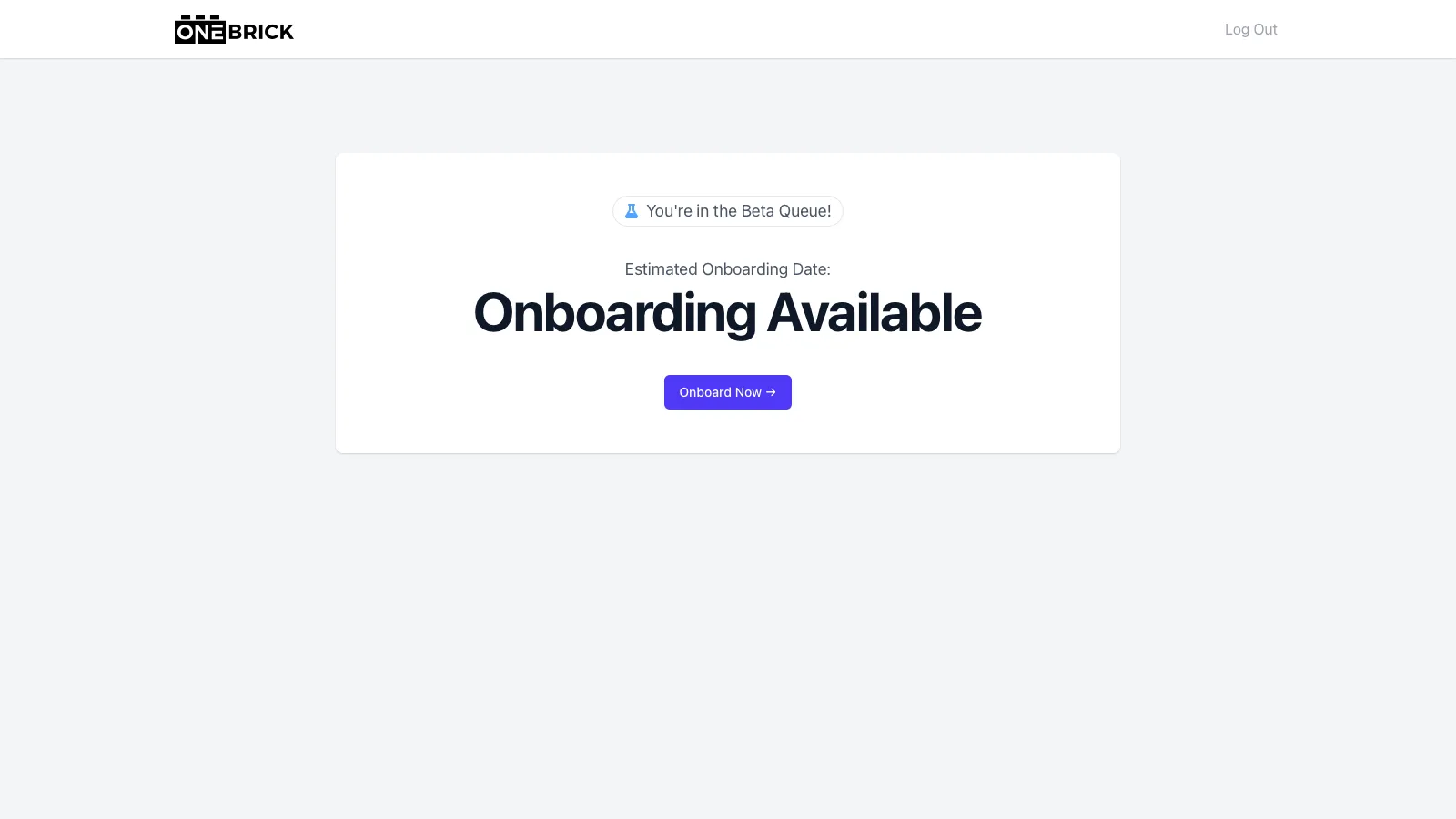
Once you have been notified that you can onboard your store, your account will show "Onboarding Available." To onboard your store with OneBrick, simply click "Onboard Now."
On the following page, add your store address, timezone, and make any changes to your store name or Store Subdomain. The Store Subdomain is the web address at which you will access the OneBrick application. Think of something simple and that you will not forget. If you do forget your Store Subdomain, the owner can always log in via https://onebrick.app/, which will redirect to the main Store Subdomain. Additional users within each account who are not the store owner must log in via the Store Subdomain.
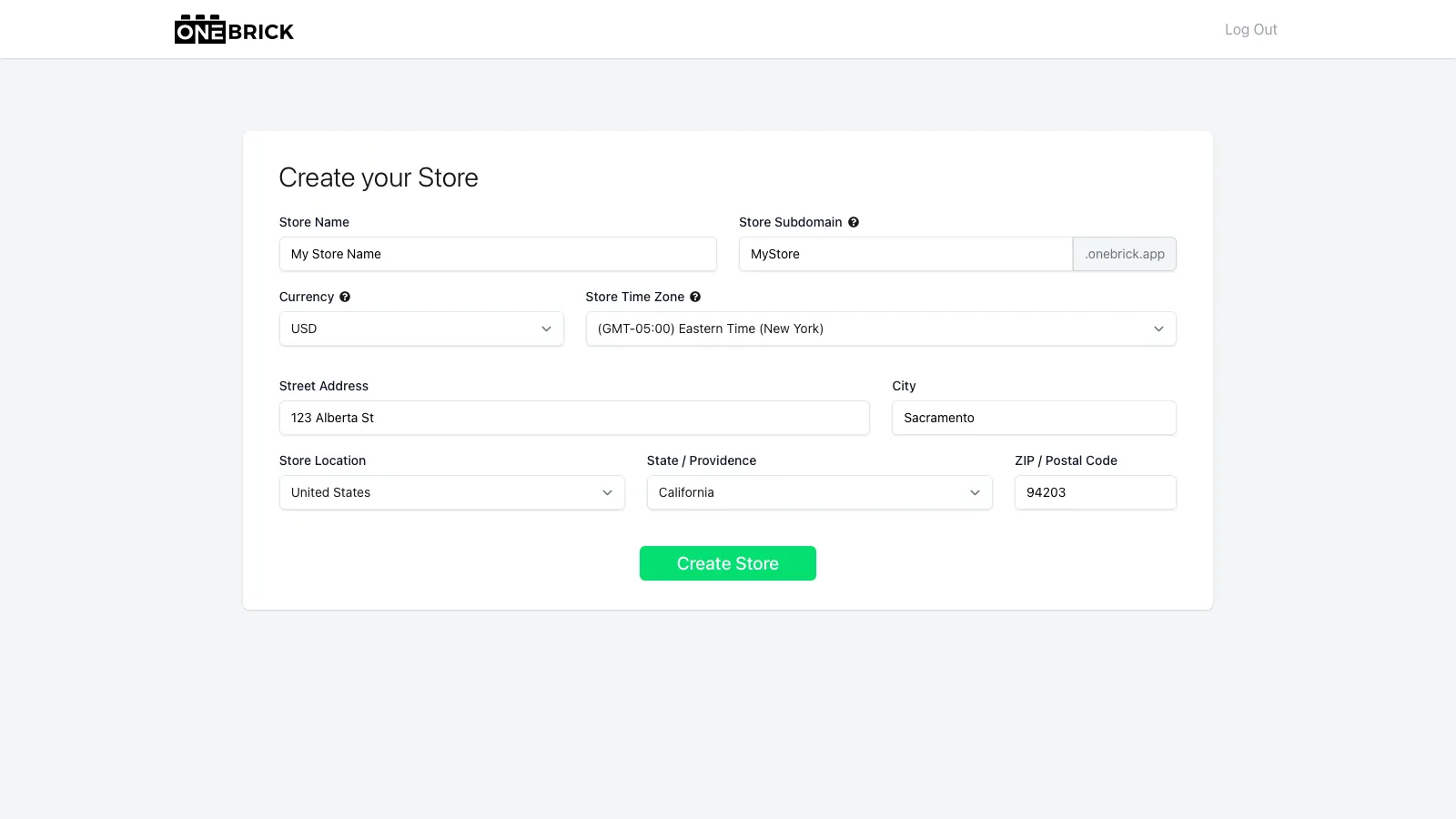
To continue, click "Create Store." If there are any errors on this page, you must fix them before continuing.
Once you click "Create Store," you will be redirected to a login page. Use your credentials to contine. OneBrick is creating your tenant at this stage, which should take only a few seconds. If you cannot log in, wait a few seconds and try again. If the problem persists, please contact: [email protected]
Payment and Plan Selection
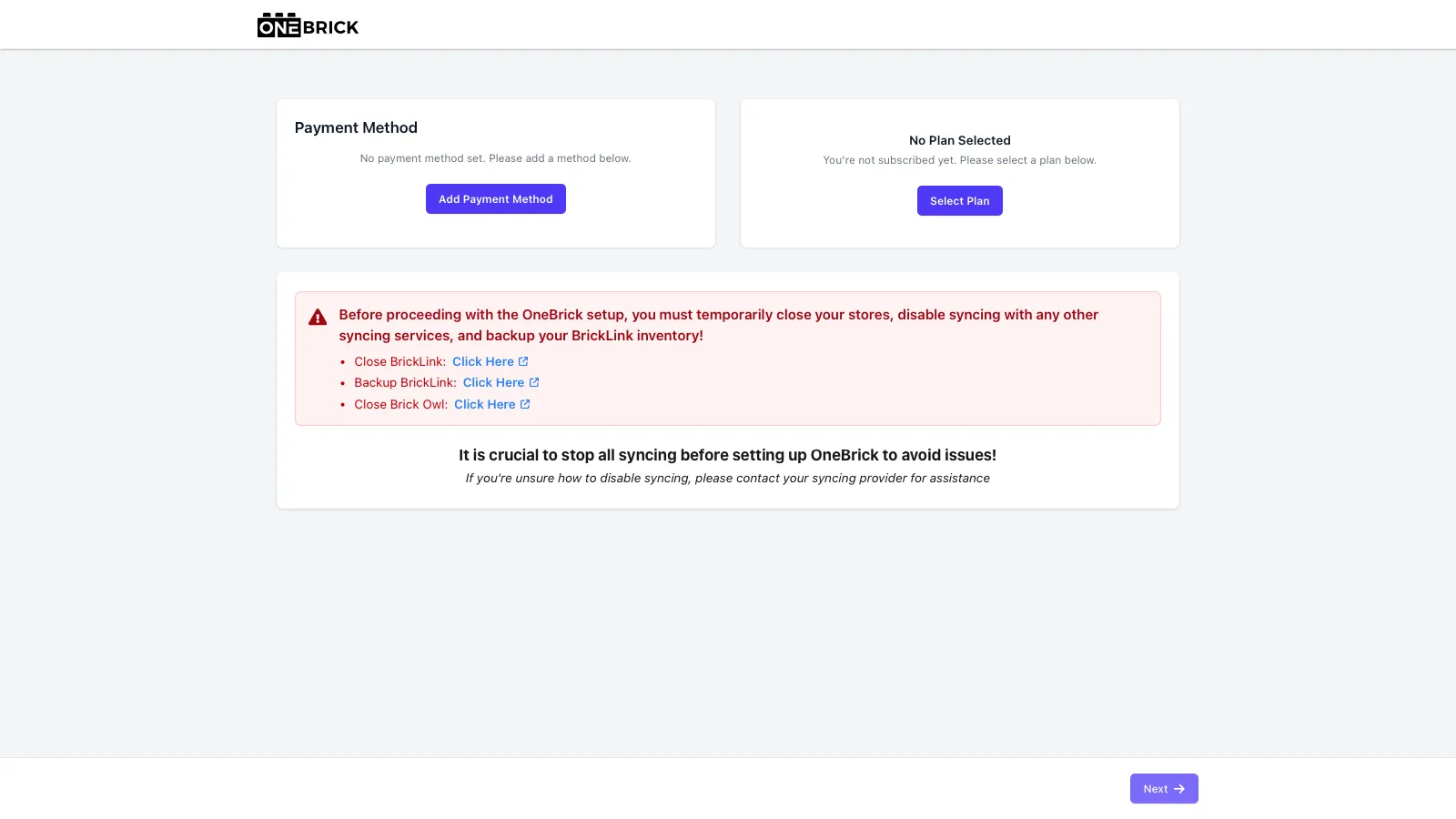
After logging back in, you must begin by adding a payment method to your account. Click "Add Payment Method," then enter your card details and billing address before clicking "Update." OneBrick does not store your payment information. All payment methods are stored and billed via Stripe.
After adding a payment method, you will need to select a plan by clicking "Select Plan". Use the Plans and Pricing section below to guide you on picking the best tier for your use.
Plans and Pricing
OneBrick does not charge a percentage of sales and instead charges one monthly fee. That way you know your cost every month before the month even begings. Depending on your store's order volume, you may need to select a specific tier.
Solo
Solo is best for stores processing up to 50 orders a month with only one user. Solo provides:
- Store Statistics and Dashboard
- Inventory Editing and Syncing with BrickLink and BrickOwl
- Order Fulfillment Workflow
- Direct BSX Uploading
- Basic Reporting
Price: $29 per month
Seller
Seller is best for stores processing up to 150 orders a month with up to five users. Seller provides everything within Solo, plus:
- Brickognize Integration
- Advanced Reporting Suite
- Simple Conoslidation (Coming Soon)
- Basic Audit Log (Coming Soon)
Price: $59 per month
Seller+
Seller+ is for large stores with many orders and users. Seller+ provides everything within Seller, plus:
- Unlimited monthly orders
- Up to 10 Users
- Annual Subscription Option
- More Advanced Features to Be Announced Later
Price: $99 per month, or $999 per year
Biling Schedule
OneBrick bills at the beginning of each monthly period. A 7-day trial starts on your Onboard Date, and your billing period begins at the end of your trial. You will be billed on the same day each month.
Disable Syncing
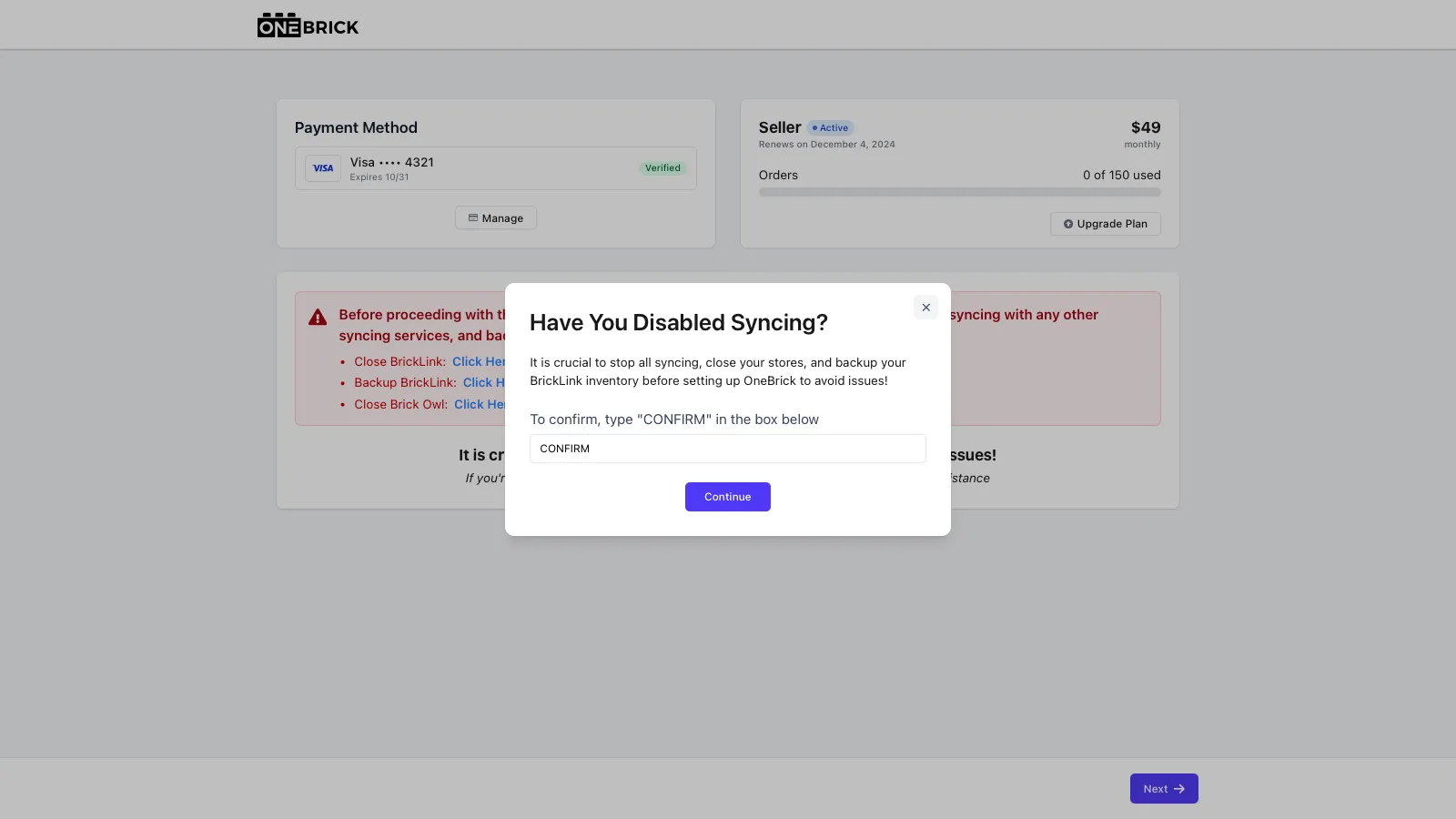
The next step is crucial. You MUST disable syncing with any other platforms you may have been using. Failure to do so will likely result in messed up inventory over time. You must type "CONFIRM" when moving to the next step to agree that you disabled any other syncing platform you may have been using.
OneBrick is not responsible for inaccurate inventory caused by another syncing platform.
API Key Information
API Keys are how OneBrick "talks" with your selling platforms. It is important to input the information correctly, or OneBrick will not work. OneBrick currently supports BrickLink and BrickOwl as selling platforms. We hope to add to this list in the future.
For help creating BrickLink or BrickOwl API keys, see Create A BrickLink Access Tokenbelow or Create A BrickOwl API KeyCreating a BrickOwl API Key below.
OneBrick MUST sync with an active BrickLink store, and only supports onboarding inventory from BrickLink as the main inventory to begin.
To begin by linking BrickLink, click "Link." You will then input your BrickLink API Access Token information in the fields and click "Link."
Your BrickLink Allowed IP and Mask IP must both be 0.0.0.0. If they are not, please create a new Access Token
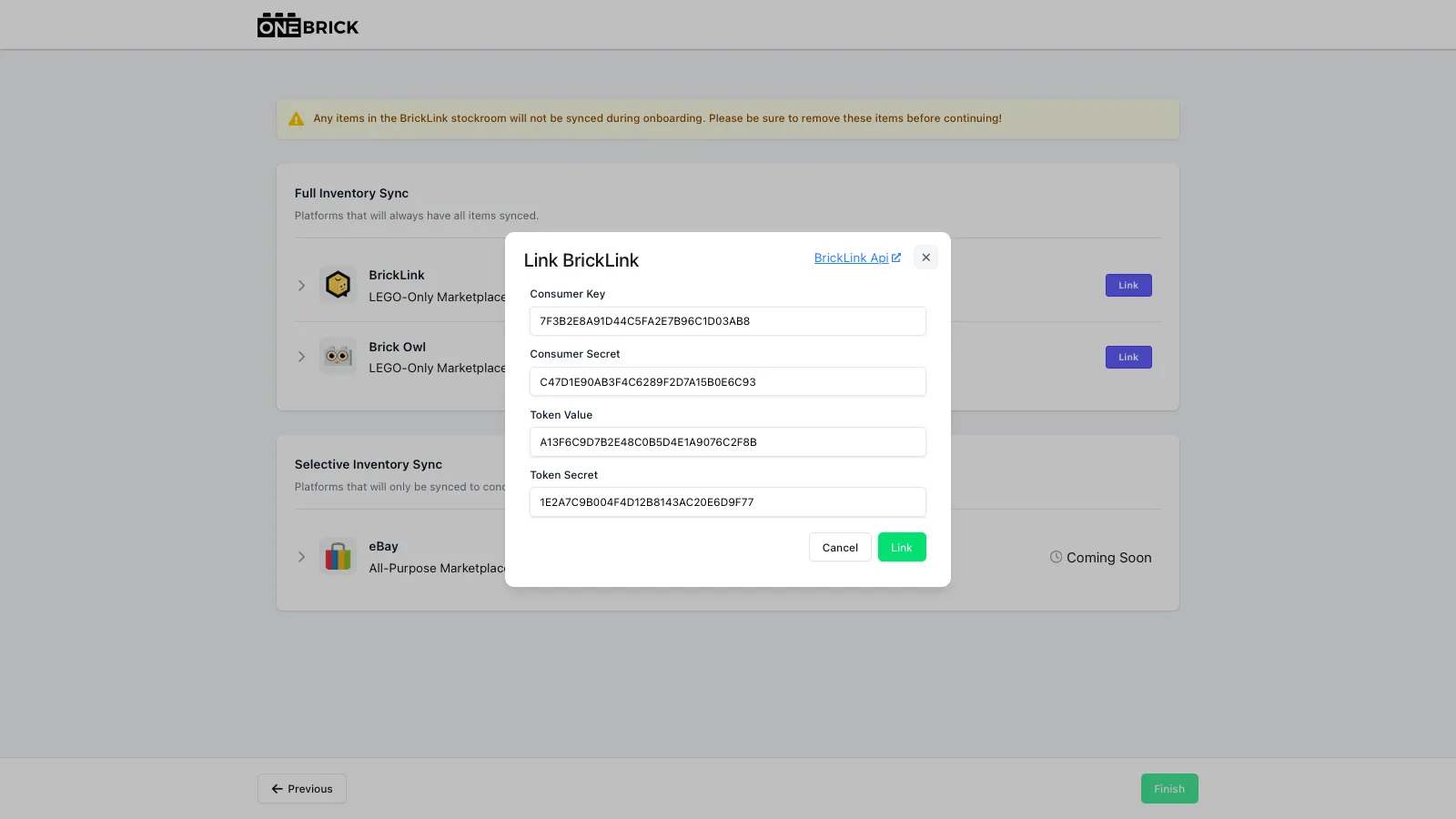
OneBrick will check your BrickLink API Access Token and show "Active" when it is successfully linked.
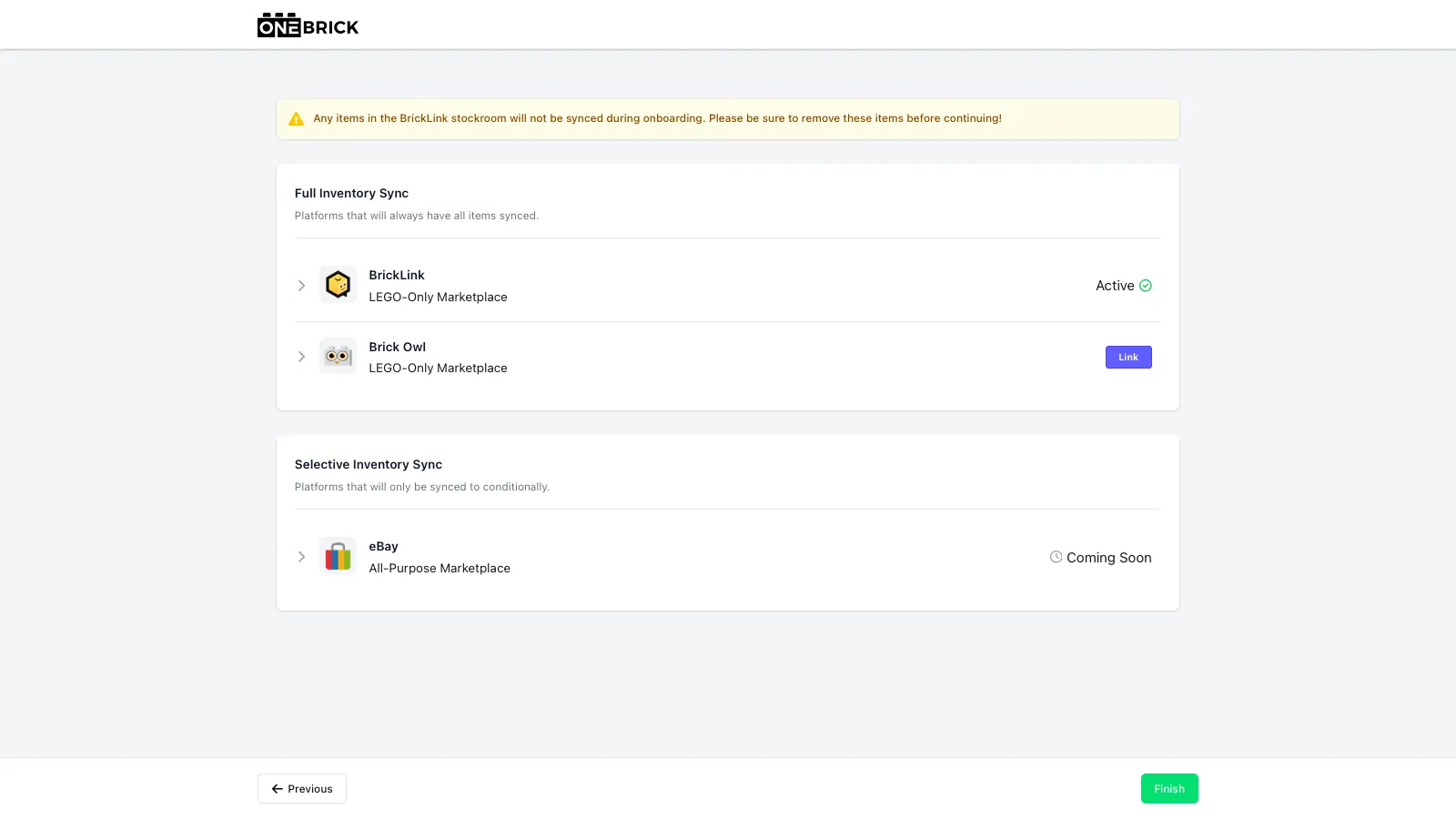
Once you have successfully linked your BrickLink API, you can contunue to BrickOwl by following the same steps. Click "Link" then input the single BrickOwl API Key and click "Link."
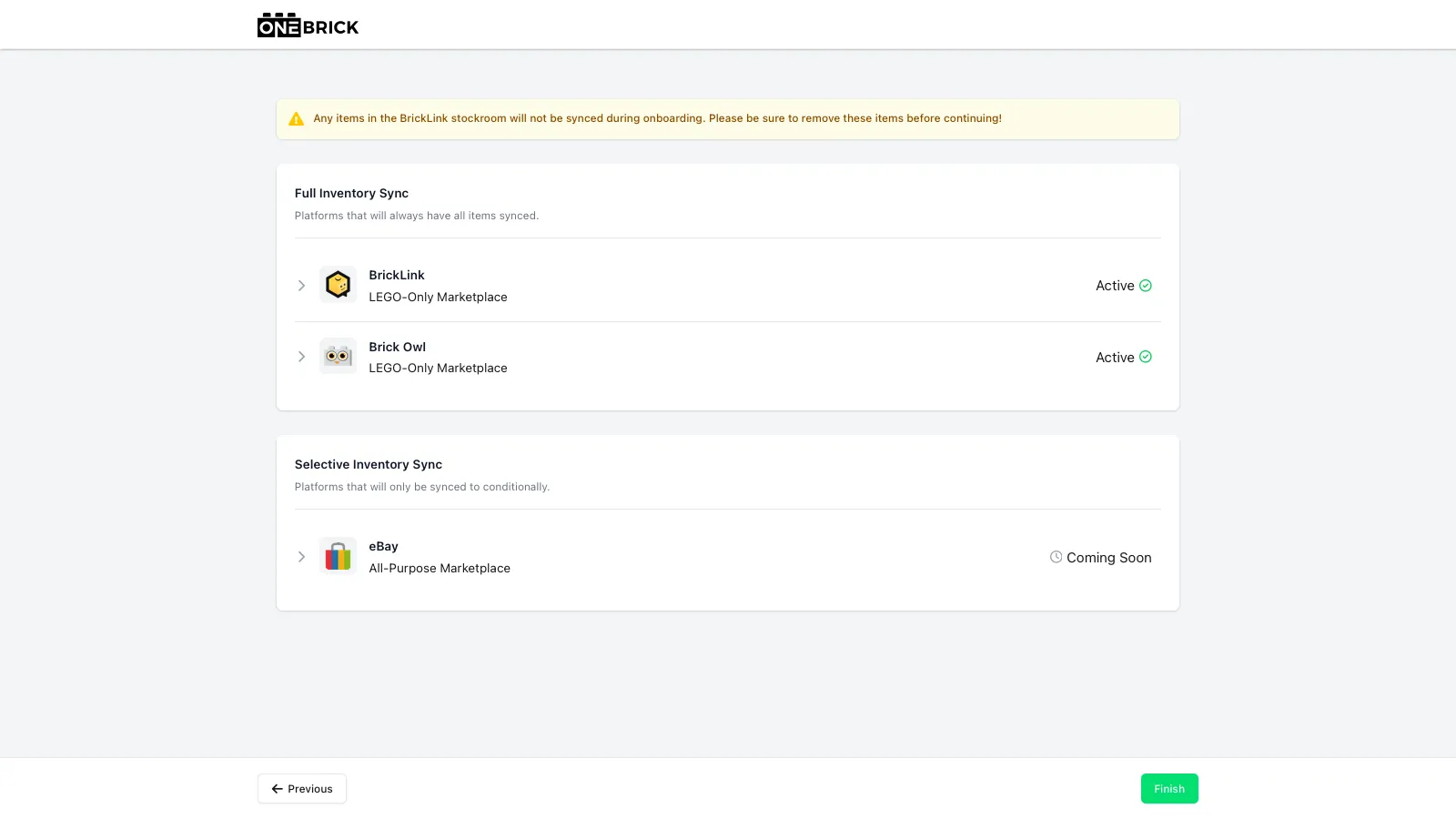
OneBrick will check your BrickOwl API Key and show "Active" when it is successfully linked in your account.
Create A BrickLink Access Token
If you have not yet created a BrickLink Access Token, or need to create a new one, you can do so here.
BrickLink uses four pieces of information for their Access Tokens:
- ConsumerKey
- ConsumerSecret
- TokenValue
- TokenSecret
These are all specific to your store and should not be shared publicly.
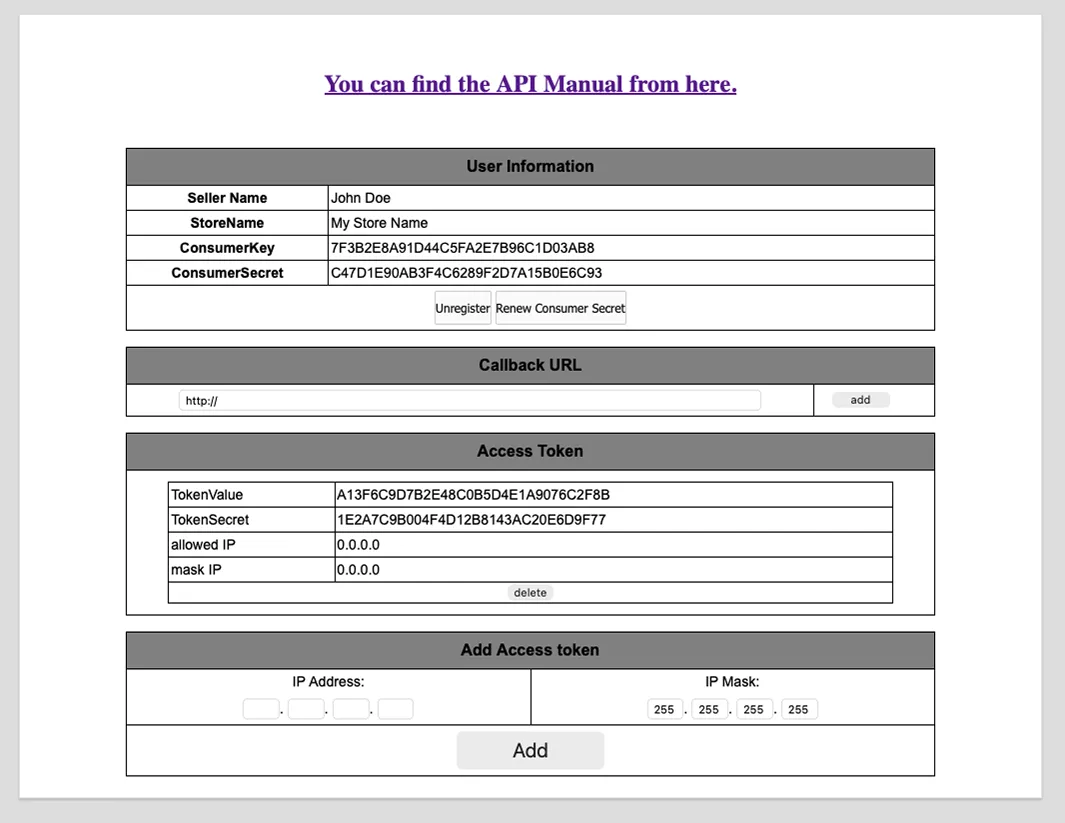
To delete an old Access Token, simply click "delete" under the Access Token.
To create a new Access Token, type 0.0.0.0 into the API Address and IP Mask Fields, then click "Add."
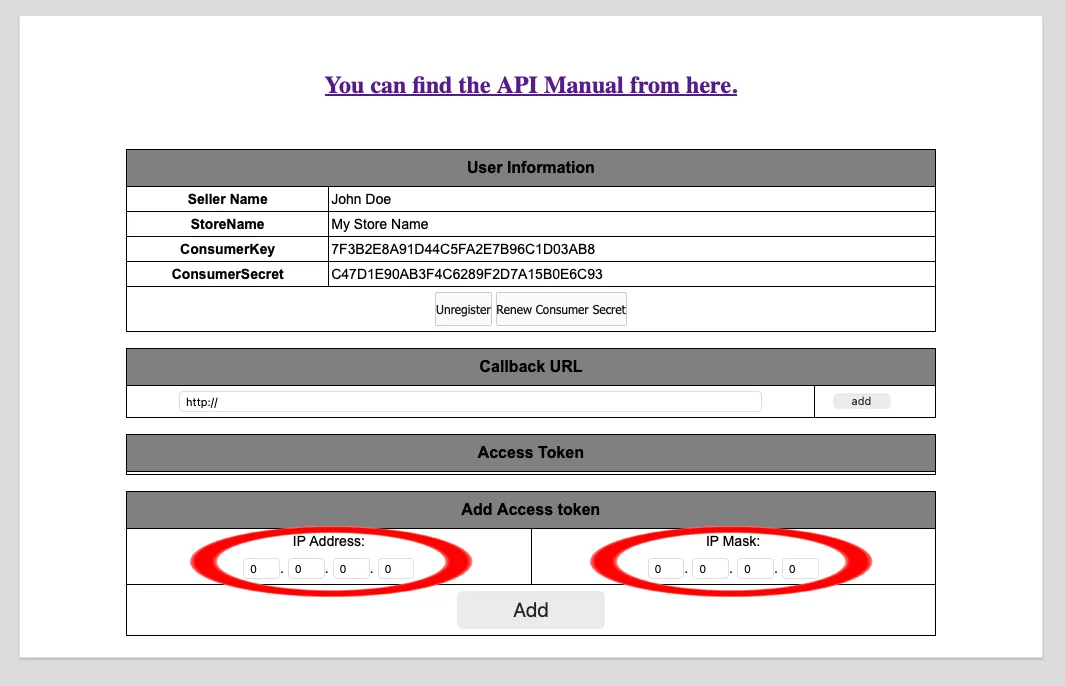
This will create a new BrickLink Access Token that can be used to Link BrickLink to OneBrick.
Your BrickLink Allowed IP and Mask IP must both be 0.0.0.0. If they are not, please create a new Access Token
Create A BrickOwl API Key
If you have not yet created a BrickOwl API Key, or need to create a new one, you can do so here. Once in your profile, naviagte to the API tab at the top of the page.
Click "Create API Key," then on the following page, click "Create."
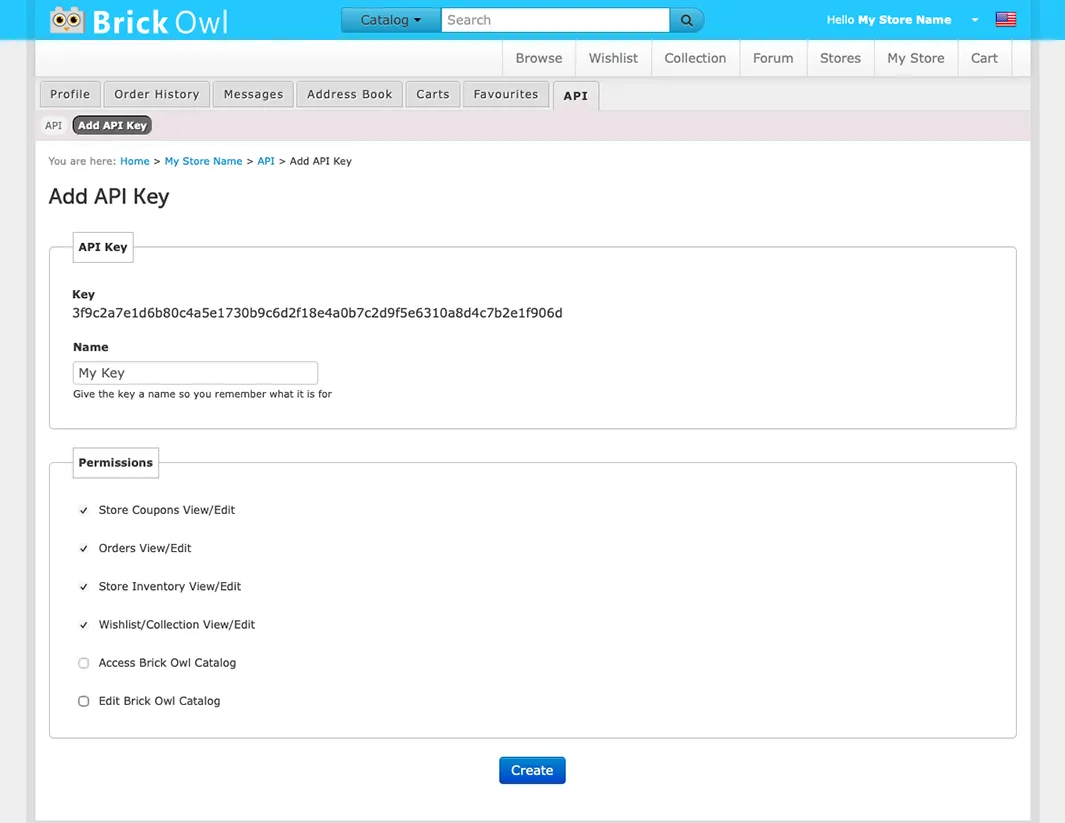
This will create a new BrickOwl API Key that can be used to Link BrickOwl to OneBrick.
Complex Lot Pricing
The final step of the onbaording setup is to select how you would like your items to be priced if they need to combine into a single Complex Lot. For consolidated stores, there is no need to think about this. You can leave it at the default of "Average."
If your store is not consolidated and has multiple of the same item in differnt locations you must choose how to price Complex Lots. OneBrick has three options to choose from:
Average: This takes the price of each of the same item and finds the average price.
Average: You have one lot of 2x2 red bricks for $1.00, another for $2.00, and another for $2.50. Averaging all together to set the new Complex Lot price for 2x2 Red Bricks to $1.833.
Maximum: This takes the highest price of any of the same item and sets the complex lot to that highest price.
Maximum: You have one lot of 2x2 red bricks for $1.00, another for $2.00, and another for $2.50. Finding the highest price will set the new Complex Lot price for 2x2 Red Bricks to $2.50.
Minimum: This takes the lowest price of any of the same item and sets the complex lot to that lowest price.
Minimum: You have one lot of 2x2 red bricks for $1.00, another for $2.00, and another for $2.50. Finding the lowest price will set the new Complex Lot price for 2x2 Red Bricks to $1.00.
This selection will only effect items with more than one location when combined into a Complex Lot. For item with only a single location, they will remain the same price. Quantity of items within a location will not effect price.
Background Tasks
Due to BrickLink's API limitations, OneBrick may need to slowly convert your inventory and orders in the background over the course of a few days to weeks.
Depending on the size of your store, OneBrick may take a few days to a few weeks to compeltely onboard and convert all your items into Complex Lots. This is nothing to be alarmed about. You can use OneBrick normally, and we will slowly convert your inventory in the background. This could be a reason you might see discrepancies between the platforms and OneBrick inventory lot counts within the first few weeks.
One of the first edits made to your platform will be the deletion of stockroomed items. These items will be imported into the OneBrick Stockroom on the Inventory Page Inventory Page and can be edited there.
In addition to a slow Complex Lot conversion, OneBrick will also slowly onbaord historical orders over time, hence why you may be missing old orders within the first day of using OneBrick.
The extended onboarding times depend on store inventory size and historical order volume and are a result of BrickLink's 5000 API call limit per day.